
Fun and Creative Canva Clipart Ideas: Incorporate Whimsical Clipart into Canva

Hey creative soul! Are you ready to sprinkle some magic into your DIY projects? I’m super excited to share how you can incorporate whimsical clipart into Canva to make your crafts pop with personality and charm! Whether you’re jazzing up junk journals, creating unique printables, or designing eye-catching digital art, whimsical clipart is your new best friend. Let’s dive in and get those creative juices flowing!
Why Canva Clipart Ideas Will Change Your Craft Game
Canva is already a powerhouse for design, but adding clipart? Oh, it takes things to a whole new level! Clipart gives you that extra flair, making your projects stand out with fun, quirky, and playful elements. Imagine turning a plain page into a storybook scene or adding a splash of whimsy to your invitations. The best part? You don’t need to be a pro designer to do it!
Here’s why you’ll love using clipart in Canva:
Easy to use: Drag, drop, and resize with zero hassle.
Endless variety: From cute animals to vintage florals, there’s something for every vibe.
Customizable: Change colours, sizes, and layer clipart to fit your style.
Perfect for print and digital: Whether you’re printing or sharing online, clipart looks fab everywhere.
So, if you want your projects to scream unique and fun, clipart is the way to go!

How to Incorporate Whimsical Clipart into Canva Like a Pro
Ready to get your hands dirty? Here’s a step-by-step guide to adding whimsical clipart into your Canva projects:
Find your clipart: Choose clipart that matches your project’s theme. Think quirky animals, magical plants, or vintage doodles.
Upload or search: You can upload your own clipart or use Canva’s built-in library. Pro tip: Uploading your own whimsical clipart for Canva lets you keep your designs truly one-of-a-kind! Plus keeps you out of hot water with copyright issues.
Drag and drop: Place your clipart where you want it. Don’t be shy to overlap or layer for a cool effect.
Resize and rotate: Play with size and angles to create movement and interest.
Add effects: Use Canva’s filters or transparency settings to blend clipart seamlessly into your design.
Group elements: If you’re using multiple clipart pieces, group them to move or resize as one.
Remember, the key is to have fun and experiment! Your projects will thank you.
Where can I get clip art for Canva?
Finding the perfect clipart can be a treasure hunt, but I’ve got some tips to make it easy-peasy:
Online marketplaces: There are tons of sites offering whimsical clipart packs perfect for junk journals and DIY crafts.
Free resources: Some websites offer free clipart downloads, but always check the license to make sure you can use them for your projects.
Create your own: If you’re feeling artsy, try drawing your own clipart and scanning it in. Canva loves custom uploads!
PrintDigitalByJen: Basil Made Digitals is a goldmine for unique, whimsy-inspired digital downloads that fit perfectly with your creative vibe. Find them on printdigitalbyjen.com or their Etsy shop. Just a heads up, you will find so much more that is not listed on Etsy.
Once you have your clipart, just upload it to Canva and start creating!
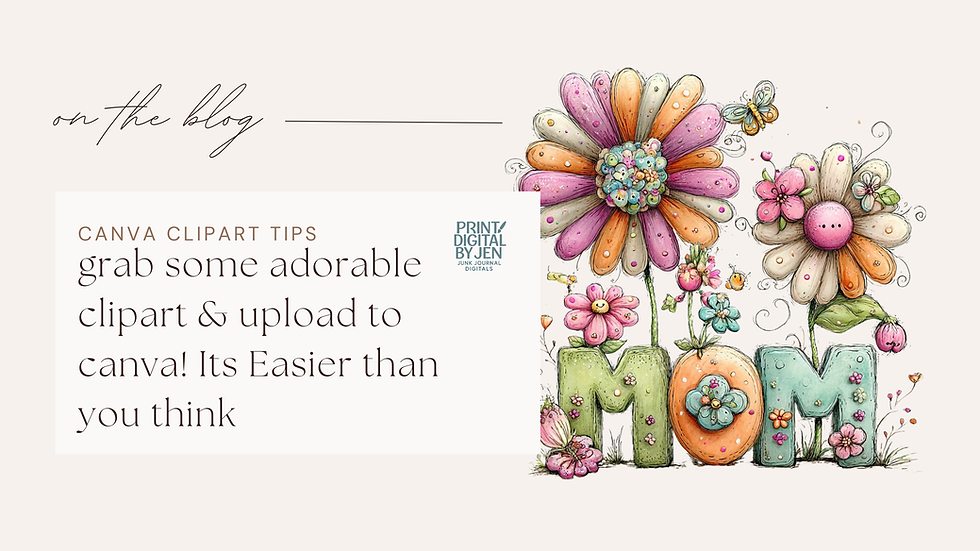
Tips and Tricks for Using Whimsical Clipart in Your Projects
Want to make your designs pop? Here are some insider tips to get the most out of your clipart:
Mix and match styles: Combine vintage and modern clipart for a fresh look.
Use clipart as backgrounds: Layer faded clipart behind text for subtle texture.
Create borders and frames: Arrange clipart pieces around the edges to frame your work.
Play with colour palettes: Change clipart colours in Canva to match your project’s theme.
Add text overlays: Pair clipart with fun fonts to tell a story or add a message.
Keep it balanced: Don’t overcrowd your design. Let clipart breathe and shine!
These tricks will help you create stunning, whimsical designs that everyone will love.
Let’s Get Crafty with Whimsical Clipart for Canva!
Now that you know the magic of clipart, it’s time to get creative! Whether you’re making junk journals, greeting cards, or digital prints, adding whimsical clipart will bring your projects to life. Don’t forget to explore different clipart styles and have fun mixing them up.
If you want to explore some amazing options, check out this whimsical clipart for Canva to find unique, playful designs that will make your crafts truly special.
So, what are you waiting for? Open Canva, grab your favourite clipart, and start creating your next masterpiece today! Your projects deserve that extra sprinkle of whimsy and charm.
Happy crafting!
Ready to dive deeper? Keep exploring new clipart styles and tutorials to keep your creative spark alive!

Comments